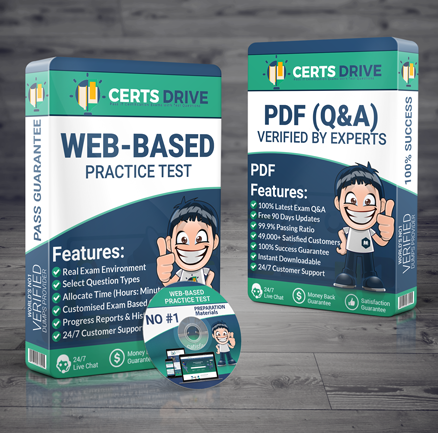
Here you can get updated VMware 3V0-22.21 Advanced Deploy VMware vSphere 7.x Exam practice questions and answers in PDF and web-based practice test software. These Advanced Deploy VMware vSphere 7.x Exam 3V0-22.21 practice questions are designed to help you study the exam topics and build confidence for your certification exam. The VMware 3V0-22.21 study material will assist you in preparing for the latest VMware Certified Advanced Professional certification exam with a large set of practice items in convenient VMware 3V0-22.21 PDF files.
You can showcase your skills in the information technology field with the VMware Certified Advanced Professional certification (3V0-22.21). Success in the 3V0-22.21 exam can strengthen your portfolio and help you pursue better job opportunities. CertsDrive provides VMware certification 3V0-22.21 mock tests to support your preparation for the VMware certification. Many IT professionals have prepared with these VMware Certified Advanced Professional 3V0-22.21 practice questions. Practice exams and PDF questions are the main formats of our product. You can practice in an exam‑like Advanced Deploy VMware vSphere 7.x Exam 3V0-22.21 environment with our desktop practice test software and web-based practice exam.
The VMware Certified Advanced Professional 3V0-22.21 PDF format is ideal for preparing from any place via smartphones, laptops, and tablets. CertsDrive has been helping 3V0-22.21 exam applicants for many years with practice resources. You can strengthen and validate your skills for the VMware certification 3V0-22.21 exam by using our practice tests and study questions. We also offer a refund policy if you are not satisfied with the Advanced Deploy VMware vSphere 7.x Exam 3V0-22.21 preparation material.
CertsDrive is a preparation platform that offers VMware 3V0-22.21 practice questions in PDF format for easier study and revision. You can try a free Advanced Deploy VMware vSphere 7.x Exam 3V0-22.21 practice questions demo before purchasing the full product.
Due to budget constraints, the development team must place its virtual machines on the same ESXi hosts as the production virtual machines. In order to prevent resource contention caused by the development workload, you must limit their resources.On Cluster PROD-A create a resource pool under this cluster for future development VMs. Create a 4 GHz CPU limit and a 256 MB memory limit* Cluster Name: PROD-A* Resource Pool Name: DevRP* CPU Limit: 4 GHz* Memory Limit: 256 MB
The IT Team recently implemented a Unified Communication Service to provide conferencing for the organization. The UCS Application server is running from a virtual machine named VM1-UCS. Due to the nature of the UCS. the traffic for VM1-UCS has a higher Class of Service (CoS) demand.In order to meet demand bandwidth for VM1 hosting the UCS. you been have given the task to improve performance by isolating the traffic and configuring CoS for this VM.Your first task is to connect VM1-UCS to the distributed port group. UCS-Portgroup.Your second task is to tag and mark the traffic for VM1-UCS with the following parameters:* Name: UCS Network Traffic* CoS Value: 4* DSCP Value: 34* Traffic Direction: Ingress/Egress* Traffic Qualifier: System Traffic - Virtual MachineThe IT Team noticed that some of the parameter where not available on the distributed switch. Troubleshoot why these settings are missing and fix it.
You are doing an audit for vCenter Server vcsa0la s inventory.On the desktop, you will find a folder named 'powercli-question'. In the folder, there is a script named 'vds-script.psl'.Your colleague needs some help to get it working as expected. Your task is to modify the script so that it exports a list of virtual machines, enables promiscuous mode on PCLI-Portgroup. and exports PCLl-Portgroup.
The company's IT strategy is to adopt innovative and emerging technologies such as software-defined storage solution. The IT team has decided to run their business-critical workloads on an all-flash Virtual SAN (vSAN) as it provides excellent performance.The IT team has purchased servers that are compatible with vSAN. However, all the solid-state drives (SSD) in the servers are shown incorrectly as hard-disk drives (HDD) instead.In addition, some of the solid-state drives (SSD) will be used for other purposes instead of vSAN and should not be part of the vSAN cluster. These are the requirements for the vSAN cluster:*In each server, use the 3GB SSD as the cache tier and the 11GB SSD as the capacity tier* As a result the vSAN cluster will use a total of six SSDs (three SSDs for caching and three SSDs for capacity* Ensure all the disks that will be used for vSAN are shown correctly as SSDs* Provide storage savings by using deduplication and compression.Next, the IT team wants to improve the performance and availability of the business-critical workloads on the vSAN-datastore.Ensure the following configurations will be applied on existing and new workloads located on vSAN-datastore:Number of disk stripes per object: 2Primary level of failures to tolerate: 2Failure tolerance method: RAID-1 (Mirroring)Force provisioning; YesThe new configurations should be applied by default.You may create new storage policy but do not edit the default vSAN storage policy as it may be used by other vSAN clusters in the future. Name the policy 'New vSAN Default'.Nate-. All tasks should be executed in PROD-A host cluster.
You have been asked to create a new datastore for the Production cluster; however, the ESXi host esxi02a is not able to add the datastore. Your storage team has determined that there is nothing incorrect with the storage presentation.Troubleshoot why host esxi02a is not able to create the datastore. Add the datastore to the host once the proper configuration has been applied, and then reboot the host!Use the following information to complete this task;* ESXi host: esxi02a* Datastore Name: new_datastore* Datastore target: iSCSI Target* Datastore LUN: 4* Reboot the host
Your storage administrator is concerned about a new application being deployed on virtual machine (SIOCVM) in your vSphere 7.x environment.You've been asked to create and apply a storage policy to make sure that the SIOCVM virtual machine does not exceed 500 IOPS.Note: Name the Storage Policy 500IOPSLimit
A vSphere administrator has deployed a new server. The VM will have a workload which is prodApp1 to the following specifications:* The VM should never have any memory contention while powered on. even if the host that it resides* Configure the virtual machine for high latency sensitivity.
The security team has decided to follow the VMware-recommended best practices in the vSphere hardening guide.esxi02b:Your first task is to create a local user in esxi02b:* Name: SpecialUser* Role: AdministratorYour second task is to ensure that SpecialUser is the ONLY user who is able to SSH into esxi02b via Putty.Your final task is to enforce a strict lockdown on esxi02b.Your second task is to ensure that SpecialUser is the ONLY user who is able to SSH into esxi02b via Putty.Your final task is to enforce a strict lockdown on esxi02b.
The Virtual Infrastructure team wants to share a VM Template from vcsa0la to vcsa0lb via content libraries. Ensure that the content in the libraries is synchronized only when needed.* Name of Published Content Library in vcsa0la: CL01* Name of Subscribed Content Library in vcsa0lb: CL02* For both content libraries, use the local datastore: SAN01* VM Template to be shared: Core-TemplateAfter the Core-Template has been synchronized from CL01 to CL02. deploy a virtual machine from VM-Template on vcsa0lb* Name of virtual machine: CL-VM* Host for virtual machine: sxi03b
Your team is experiencing intermittent issues with esxi0la and you have been asked to configure the host to export its syslog data to a preconfigured syslog collector.To complete this task, you must:* Configure esxi0la.vciass.local to send syslog events to an external syslog collector on 172.20.10.10.* Ensure that the ESXi host security policies allow the syslog traffic to pass.
Both 3V0-22.21 PDF and Testing Engine provide comprehensive practice questions including Multiple Choice, Simulation and Drag & Drop style items.
We provide you 3 months of free VMware 3V0-22.21 practice material updates at no additional cost.
We offer a 3V0-22.21 product refund policy to support you if you are not satisfied with your preparation experience.
Purchase VMware 3V0-22.21 preparation products with a fully SSL secure checkout and access them in your CertsDrive account.
We respect the privacy of our customers and do not share personal information with any third party.
Practice in an exam‑like environment with our testing engine to build confidence before the actual test.
Choose between Testing Mode and Practice Mode in the testing engine.
Our 3V0-22.21 testing engine saves your 3V0-22.21 practice exam scores so you can review them later and track your progress.
CertsDrive test engine provides options to choose randomized or fixed question sets for each practice session.
Our 3V0-22.21 testing engine provides an option to save your personal study notes for each session.